

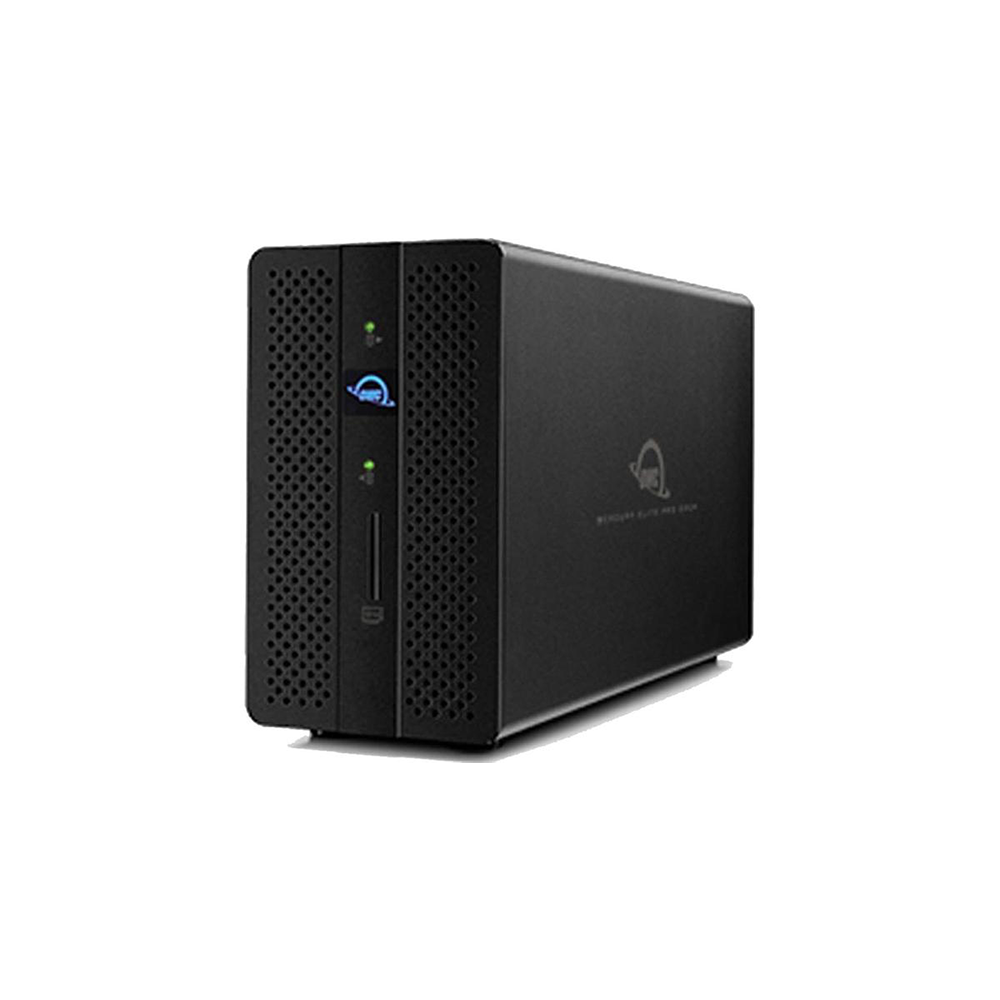


OWC Gemini Thunderbolt 3 Dock and Dual-Drive RAID 28TB ,
-
OWC / Other World Computing Mercury Elite Pro Specifications
- Interface
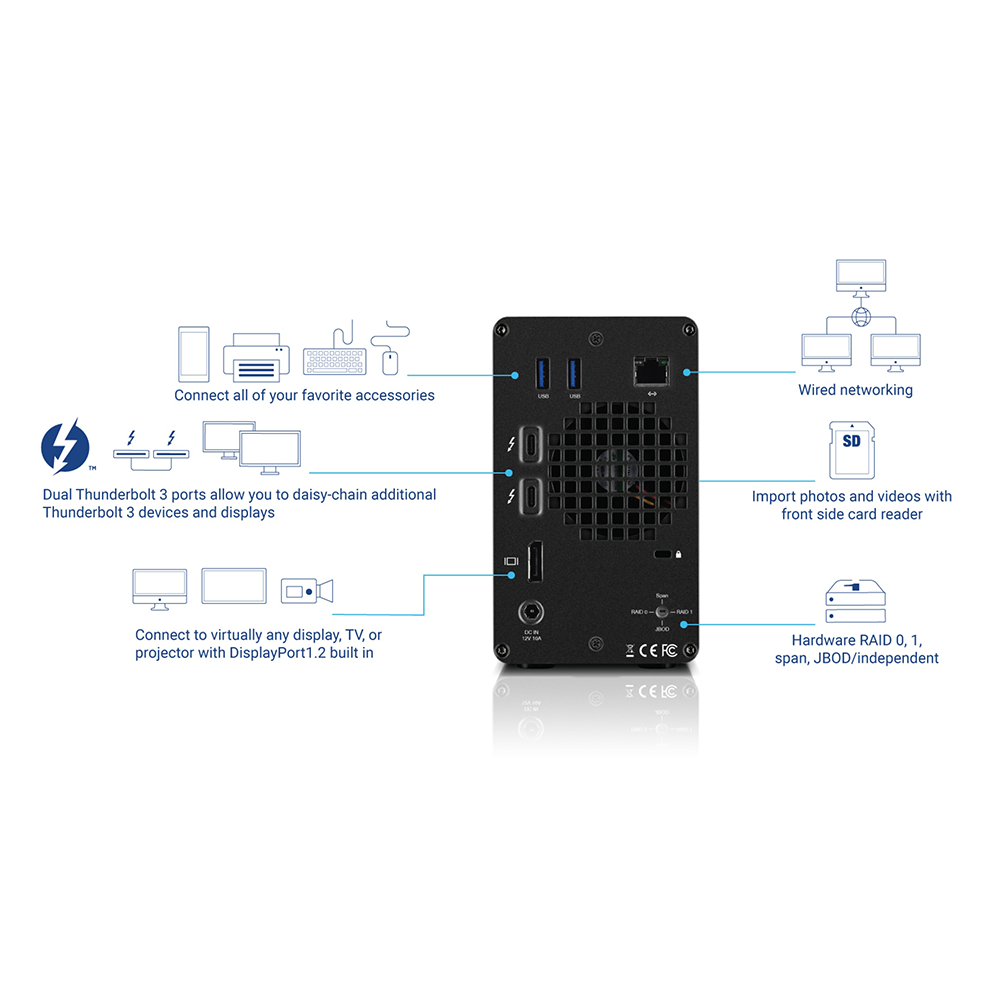
- 2x Thunderbolt 3 ports – power delivery 9V up to 3A (27W)
2x USB 3.1 Gen 1 (Type-A) ports
1x Gigabit Ethernet
1x SD 4.0 (UHS-II) card reader
1x DisplayPort 1.2 - Drives Supported
- 2x 2.5-inch or 3.5-inch SATA HDDs or SSDs
- Hardware RAID Modes
- Preconfigured RAID 0
RAID 1
Span
JBOD/independent - System Requirements
- Works with any Thunderbolt equipped Mac or Windows PC
Mac: macOS 10.14 or later
PC: Windows 10 or later - Power Supply
- External, UL-listed, universal auto-switching
AC input: 100 – 240V, 50/60Hz
DC output: 12V 10.0A - Data Transfer Rate
- Thunderbolt 3:
SSD: Read: 773MB/s and Write: 678MB/s
HDD: Read: 493MB/s and Write: 497MB/s - Operating Environment
- Non-Operating Temperature: -4 Degree to 140 Degree (-20 Degree to 60 Degree)
Operating: 41 Degree to 95 Degree (5 Degree to 35 Degree)
Guarantee safe & secure checkout

On all order
Description

-
About This Item
Your Multitool for Digital Workflows
With dual drive bays, and seven connectivity ports including an SD 4.0 card reader, the OWC Mercury Elite Pro Dock is the do-it-all tool that will organize your digital life. You’ll have plenty of room to duplicate footage, create and manage archives, or render and process effects. Connect your favorite peripherals via USB ports. Ingest the day’s shoot or drone footage with the frontside reader.Hardware RAID: Speed, Reliability, Flexibility
The Mercury Elite Pro Dock utilizes hardware RAID to unleash the full potential of two 3.5″ 7200RPM hard drives. Preconfigured in high-speed RAID 0 mode to deliver maximum sustained throughput from its drives, the Mercury Elite Pro Dock offers real-world speeds up to 773MB/s to handle HD video workflows. If you desire the extra security of mirrored data, you can configure the Mercury Elite Pro Dock in RAID 1 mode. Need more drive flexibility? Set up a span to combine the capacity of the two drives into one huge volume or use the drives as independent volumes.Future Project Ready
You can customize the Mercury Elite Pro Dock to quickly adapt to project changes and help you stay ahead of deadlines. Install your choice of 2.5” or 3.5” HDDs or SSD and even combine the speed of an SSD with the cost-effective storage capacity of an HDD. With built-in hardware RAID, you have four drive set-up choices:Non-RAID to keep the drives as independent volumes
RAID 1 (mirror) for backup reliability
RAID 0 (stripe) for optimal performance and maximum speed or use
Span to combine the drive capacities into one huge volume for extra-large storage capacitiesDone with the drives but need the connectivity? Just eject the RAID from your computer and the Mercury Elite Pro Dock keeps you working smoothly.Full Stream Ahead
The Mercury Elite Pro Dock features a 1Gb Ethernet port to keep you connected at speeds that leave WiFi in the dust. A must-have for shared workflows and workspaces, Ethernet connectivity speeds up file transfers giving you an edge on your work in progress.Professional Grade = Ready to Work
We understand having confidence in gear reliability is paramount to creative professionals. That’s why every Mercury Elite Pro Dock configured solution undergoes OWC’s multi-hour drive “burn-in” performance certification procedure prior to shipping. This ensures it arrives operating properly and immediately ready for demanding use.Disconnect in One Click
OWC Dock Ejector software safely disconnects drives in a single click. Designed by OWC hardware and software engineers, Dock Ejector ensures all data is written before disconnection, saving time and protecting against data loss. Use it to move quickly between workstations and get the most out of your OWC Dock.Notes:
This device has to be connected to the computer via Thunderbolt 3 and it cannot be used as a NAS. The Ethernet port provides the computer with an 1GbE network connection over Thunderbolt 3 but it cannot be used to access the data on the drives over the network.
When using 8TB or 10TB HDDs from Seagate and connecting the device to a PC running Windows, please make sure to first install the Windows driver.
Provides up to 27 watts of power via Thunderbolt 3 to charge or reduce laptop and device battery draw.
The DisplayPort does not support DP++. When using a DisplayPort to HDMI adapter, make sure to use an active adapter.
- Your Multitool for Digital Workflows
With dual drive bays, and seven connectivity ports including an SD 4 - 0 card reader, the OWC Mercury Elite Pro Dock is the do-it-all tool that will organize your digital life
- You’ll have plenty of room to duplicate footage, create and manage archives, or render and process effects
- Connect your favorite
- Your Multitool for Digital Workflows
Additional information
| Brand | OWC |
|---|
Quick Comparison
| OWC Gemini Thunderbolt 3 Dock and Dual-Drive RAID 28TB , remove | OWC Envoy Express Thunderbolt 3 1TB Flash SSD remove | OWC Mercury Elite Pro Quad 4-Bay USB 3.1 Gen 2 Type-c Raid Thunderbolt 3 - 32TB remove | OWC Express 2.5" Portable USB 3.0 External Hard SSD or SATA remove | 2019 Apple Mac Pro Memory Upgrades from OWC remove | OWC Mercury Elite Pro 7200 RPM Storage Enclosure w/USB 3.2 5Gb/s 8TB remove | |||||||||||||||||||||||||||||||||||||||||||||||||||
|---|---|---|---|---|---|---|---|---|---|---|---|---|---|---|---|---|---|---|---|---|---|---|---|---|---|---|---|---|---|---|---|---|---|---|---|---|---|---|---|---|---|---|---|---|---|---|---|---|---|---|---|---|---|---|---|---|
| Name | OWC Gemini Thunderbolt 3 Dock and Dual-Drive RAID 28TB , remove | OWC Envoy Express Thunderbolt 3 1TB Flash SSD remove | OWC Mercury Elite Pro Quad 4-Bay USB 3.1 Gen 2 Type-c Raid Thunderbolt 3 - 32TB remove | OWC Express 2.5" Portable USB 3.0 External Hard SSD or SATA remove | 2019 Apple Mac Pro Memory Upgrades from OWC remove | OWC Mercury Elite Pro 7200 RPM Storage Enclosure w/USB 3.2 5Gb/s 8TB remove | ||||||||||||||||||||||||||||||||||||||||||||||||||
| Image |  |  |  |  |  |  | ||||||||||||||||||||||||||||||||||||||||||||||||||
| SKU | ||||||||||||||||||||||||||||||||||||||||||||||||||||||||
| Rating | ||||||||||||||||||||||||||||||||||||||||||||||||||||||||
| Price | د.إ 9,500.00 | |||||||||||||||||||||||||||||||||||||||||||||||||||||||
| Stock | Available on backorder | Available on backorder | ||||||||||||||||||||||||||||||||||||||||||||||||||||||
| Weight | N/A | N/A | N/A | N/A | N/A | N/A | ||||||||||||||||||||||||||||||||||||||||||||||||||
| Dimensions | N/A | N/A | N/A | N/A | N/A | N/A | ||||||||||||||||||||||||||||||||||||||||||||||||||
| Additional information |
|
|
|
|
|
| ||||||||||||||||||||||||||||||||||||||||||||||||||
| Description |
[embed]https://youtu.be/aSYFFfqdq3g[/embed]
|
|
|
| OWC Memory Upgrades For Mac Pro (2019)2933MHz RDIMM Memory
|
| ||||||||||||||||||||||||||||||||||||||||||||||||||
| Add to cart |
Related Products





Reviews
There are no reviews yet.