
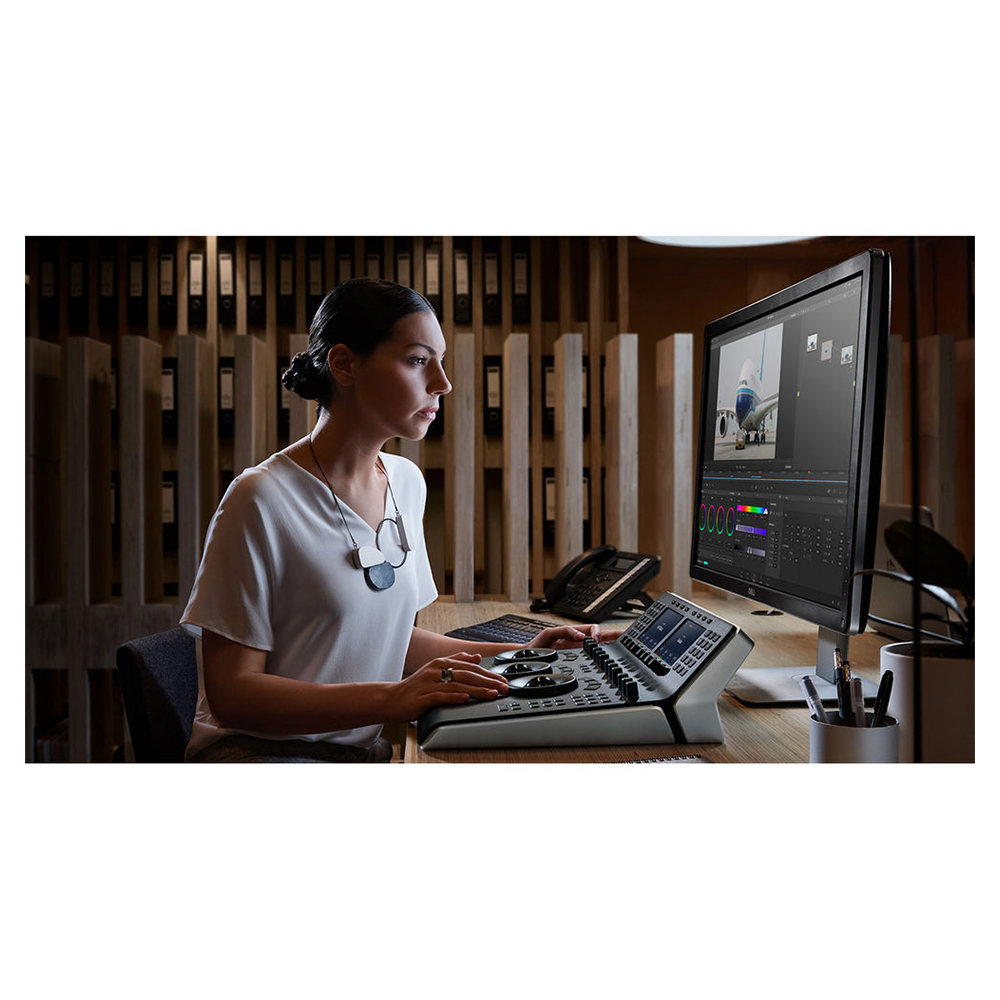
HomeShopBlackmagicBlackmagic Design DaVinci Resolve Mini Panel with Resolve Studio Software

Blackmagic Design DaVinci Resolve Mini Panel with Resolve Studio Software

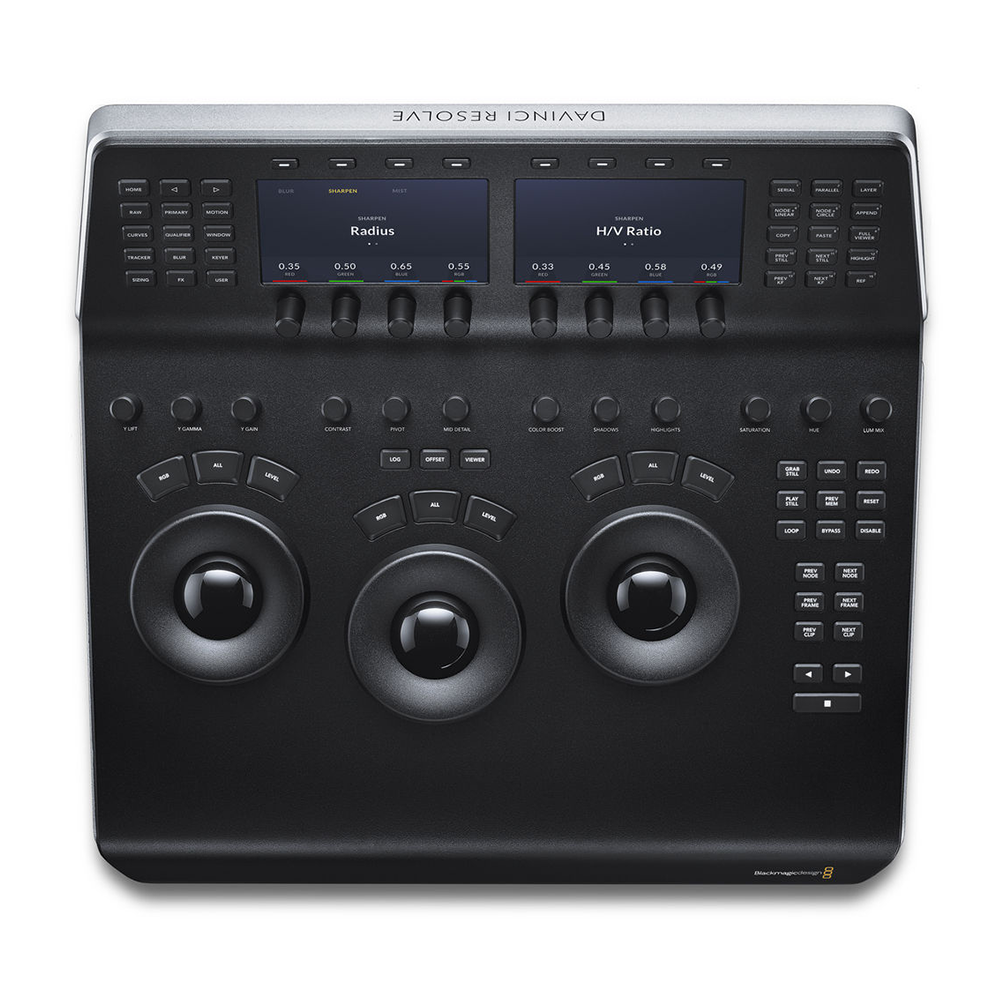
  • 3 x High-Resolution Trackballs
  • 12 x Primary Correction-Control Knobs
  • 18 x Navigation and Transport Keys
  • Dedicated Feature Buttons
  • 2 x LCD Information Display Screens
  • Backlit and Illuminated Buttons
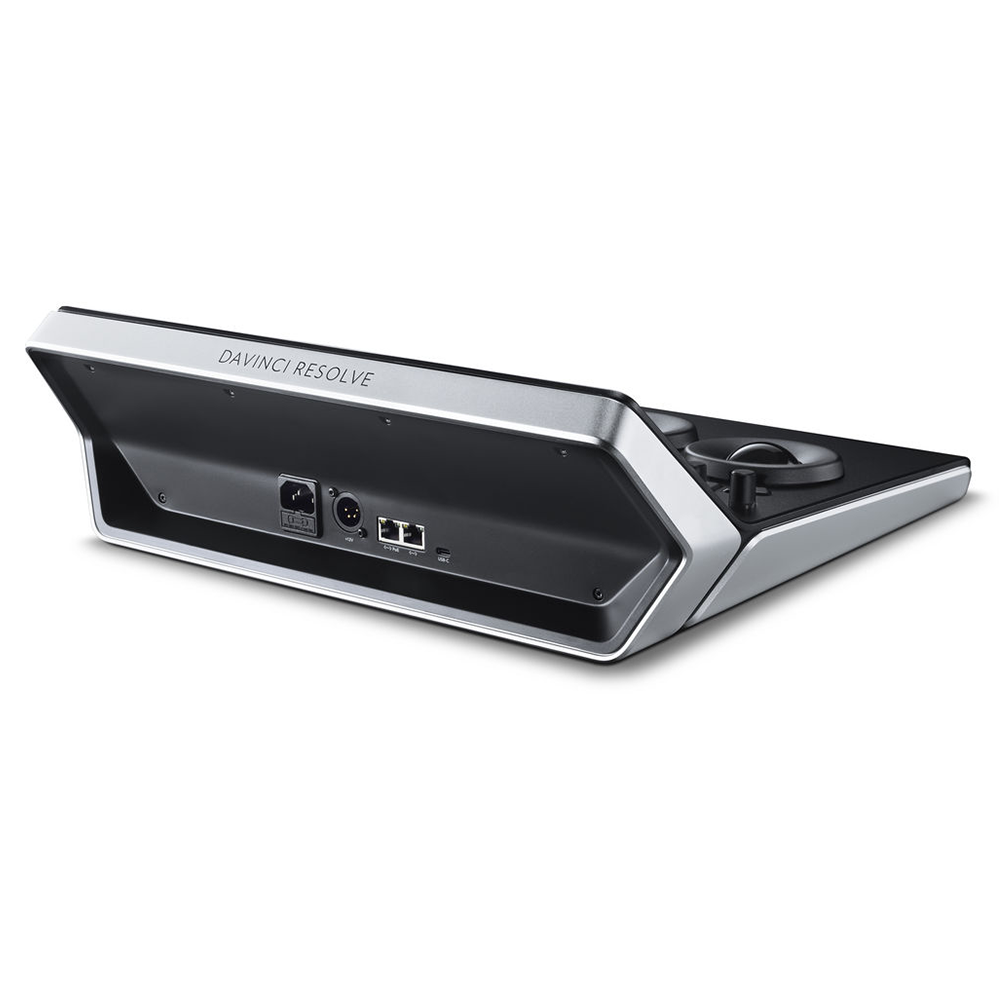
  • USB-C and Ethernet Interface
  • Supports Mac and Windows
  • Supports Select Linux Installations
Guarantee safe & secure checkout
Guarantee & safe checkout
On all order
Category :

Description

Blackmagic Design DaVinci Resolve Mini Overview

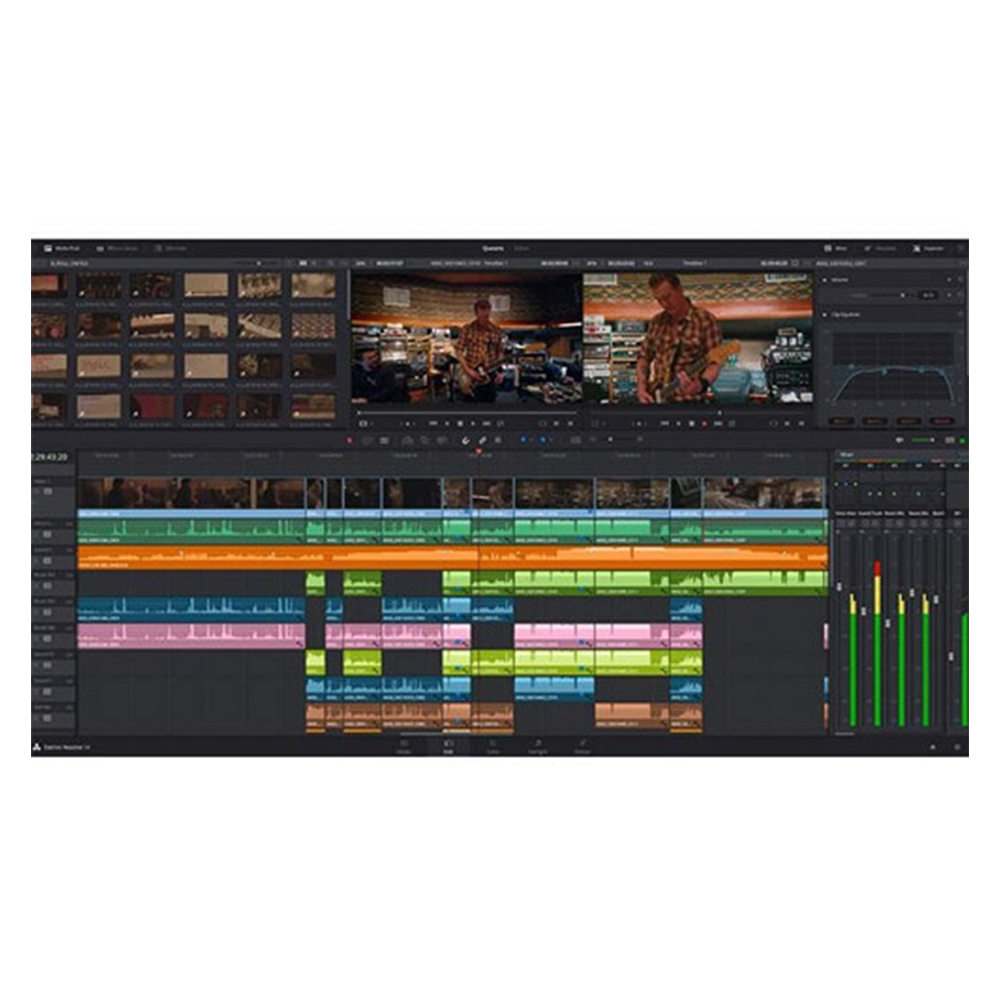
The DaVinci Resolve Mini Panel from Blackmagic Design is a step up in functionality from the Micro panel but without all the features of the Advanced panel, and it includes DaVinci Resolve Studio software. It is a portable control surface suitable for those that need to switch between editing and color grading. It can sit on your desktop or in a rack or can be bolted to a surface. As with the Micro panel, it features three high-resolution, weighted trackballs and 12 control knobs for accessing essential primary color-correction tools in the Resolve software. Eighteen dedicated keys on the right side also give you access to the most commonly used grading features and playback controls.

However, the Mini Panel also features two LCD screens that allow you to display menus or the parameters of the tools you are working with. Eight customizable soft knobs provide precise control and a quick reset by pushing the knob. Dedicated feature buttons allow you to change tools without needing to use the mouse. The Mini panel incorporates both USB-C and Ethernet interfaces. It is compatible with Mac, Windows, and select Linux systems. You can power the panel via an AC power source, a 4-pin XLR connector, or PoE. For the panel to work with Resolve, your computer must be running DaVinci Resolve 14.3 or DaVinci Resolve Studio 14.3 or later.

Key Features
Small enough to take with you, so you can bring it to any Resolve system (14.3 or later) and do color correction on location or at the editor’s suite
DaVinci Resolve Studio software included
Shares basic layout with both Micro and Advanced Panels
Interfaces with and controls software
Three trackballs with outer control rings
Log and Offset color-correction selection buttons
Buttons are backlit and light up when actuated
Two LCD screens for displaying the menu system or the parameters of the tools you are working with
Custom control knobs with 4096 steps per rotation and push-button reset
Primary Correction Creative Control Knobs
Control knobs are grouped into four sets of three knobs
Luminance
  • Y Lift Control: Adjust the contrast of the image in the darker areas, specifically in the Y (luminance) channel only. This adjustment allows for changing the black point without changing saturation.
  • Y Gamma Control: Adjust the contrast of the image in the mid-tone areas, specifically in the Y (luminance) channel only. This control helps add depth and extra vibrancy to shots.
  • Y Gain: You can reduce hot spots or tweak the whites to define a look.
Contrast
  • Contrast Control: Increase contrast to make the blacks darker and the whites brighter, or decrease contrast to do the opposite.
  • Pivot: Change the center of tonality about which dark and bright parts of the image are stretched or narrowed during a contrast adjustment.
  • Mid-Tone Detail: Affect the contrast of regions of the image with high edge detail to increase or decrease the perception of image sharpness and definition. Often used for softening facial features, making it popular for beauty shots.
Detail
  • Color Boost Control: Raise the saturation in regions of the image with low saturation while leaving properly saturated areas alone. Also known as a vibrance operation, this is useful for adding color without oversaturating the image.
  • Shadow Control: Selectively lighten or darken shadow detail without affecting your image’s mid-tones.
  • Highlight Control: Enable retrieving blown-out highlight detail in high dynamic range media by lowering this parameter. This allows you to achieve a smooth blend between the retrieved highlights and unadjusted mid-tones for a natural-looking image.
Saturation

Increases or decreases overall image saturation—you can turn your color image into a grayscale image with this control.

  • Hue Control: Rotates all hues of the image around 360° of the color wheel. The default setting is 50, which retains the original distribution of hues.
  • Luminance Mix Control: Controls the balance between the YRGB adjustments and Y-only adjustments made using the Y channel lift, gamma, and gain controls.
Power
The system powers from either a separately available AC power adapter or a 12 VDC source via the 4-pin XLR connector.
Mounting
The Mini panel can sit on a desktop, be mounted in a rack, or mount on a surface to prevent theft or be used in a moving vehicle or on a cart.
System Requirements for DaVinci Resolve
System requirements as of DaVinci Resolve 18:
Minimum System Requirements for Mac OS
  • macOS 11 Big Sur
  • 8GB of system memory; 16GB when using Fusion
  • Blackmagic Design Desktop Video version 12.0 or later
  • Integrated GPU or discrete GPU with at least 2GB of VRAM
  • GPU that supports Metal or OpenCL 1.2
Minimum System Requirements for Windows
  • Windows 10 Creators Update
  • 16GB of system memory; 32GB when using Fusion
  • Blackmagic Design Desktop Video 10.4.1 or later
  • Integrated GPU or discrete GPU with at least 2GB of VRAM
  • GPU that supports OpenCL 1.2 or CUDA 11
  • NVIDIA/AMD/Intel GPU Driver version–as required by your GPU
Minimum System Requirements for Linux
  • CentOS 7.3
  • 32GB of system memory
  • Blackmagic Design Desktop Video 10.4.1 or later
  • Discrete GPU with at least 2GB of VRAM
  • GPU that supports OpenCL 1.2 or CUDA 11
  • NVIDIA/AMD Driver version–as required by your GPU

Additional information

Brand

Blackmagic

Reviews

There are no reviews yet.

Be the first to review “Blackmagic Design DaVinci Resolve Mini Panel with Resolve Studio Software”

Your email address will not be published. Required fields are marked *

Quick Comparison

Blackmagic Design DaVinci Resolve Mini Panel with Resolve Studio Software removeBlackmagic Design UltraStudio 4K Mini Thunderbolt 3 Capture & Playback Unit removeBlackmagic Design UltraStudio 4K Extreme 3 removeBlackmagic Design HD Mini Overview removeUltraStudio Monitor 3G removeBlackmagic Design DaVinci Resolve Advanced Panel remove
NameBlackmagic Design DaVinci Resolve Mini Panel with Resolve Studio Software removeBlackmagic Design UltraStudio 4K Mini Thunderbolt 3 Capture & Playback Unit removeBlackmagic Design UltraStudio 4K Extreme 3 removeBlackmagic Design HD Mini Overview removeUltraStudio Monitor 3G removeBlackmagic Design DaVinci Resolve Advanced Panel remove
ImagePlaceholderBlackmagic Design UltraStudio 4K Mini Thunderbolt 3 Capture & Playback UnitBlackmagic Design UltraStudio 4K Extreme 3Blackmagic Design HD Mini OverviewPlaceholderBlackmagic Design DaVinci Resolve Advanced Panel
SKU
Rating
Price
Stock
WeightN/AN/AN/AN/AN/AN/A
DimensionsN/AN/AN/AN/AN/AN/A
Additional information
Brand

Blackmagic

Brand

Blackmagic

Brand

Blackmagic

Brand

Blackmagic

Description
  • 3 x High-Resolution Trackballs
  • 12 x Primary Correction-Control Knobs
  • 18 x Navigation and Transport Keys
  • Dedicated Feature Buttons
  • 2 x LCD Information Display Screens
  • Backlit and Illuminated Buttons
  • USB-C and Ethernet Interface
  • Supports Mac and Windows
  • Supports Select Linux Installations
  • 12G-SDI & HDMI 2.0 Input/Output
  • 1 x 40 Gb/s Thunderbolt 3 Interface
  • 3" LCD Status/Preview Screen
  • DCI 4K60 4:2:2 Single-Link 12G-SDI I/O
  • DCI 4K30 4:4:4 Single-Link 12G-SDI I/O
  • DCI4K60 4:4:4 via HDMI
  • 8-, 10- & 12-Bit Processing
  • 2K/HD/SD via SDI or HDMI
  • RS-422 Deck Control
  • macOS, Windows & Linux Compatible
  • 40 Gbps Thunderbolt 3 & PCIe I/O
  • Advanced 4K 60p RGB/Stereoscopic Ingest
  • 12G-SDI, HDMI 2.0, Analog Connections
  • 4-Ch XLR and 2-Ch AES/EBU Audio
  • Reference, Timecode, RS-422 Ports
  • 4:4:4 Sampling
  • Real-Time H.265 Encoding
  • LCD Preview Screen
  • Wide Mac/Windows Software Compatibility
  • 2 RU Form Factor; Dual Built-In PSUs
  • SD/HD/3G-SDI and Analog Inputs
  • HDMI and Dual SDI Outputs
  • Thunderbolt 3 Interface
  • Supports SD and HD Resolutions
  • 4:2:2 and 4:4:4 Color Sampling Support
  • 8/10/12-Bit Color Depth
  • RS-422 Deck Control
  • HD to SD Down-Conversion
  • Ultra-Portable Playback Device
  • Outputs Footage from Computer to Monitor
  • Thunderbolt, SDI, HDMI / Embedded Audio
  • Supports Resolutions up to 1080p60
  • Control Surface for Resolve Controls
  • T-Bar Panel and Transport Panel
  • Slide-Out Keyboard, Reference Keys
  • RGB Lift, Gamma, Gain Trackballs
  • Node-Based Real-Time Image Processing
  • 32-Bit Floating Point/YRGB Processing
  • 5 x LCDs with Real-Time Key Information
  • 30 x Soft Knobs, Illuminated Keys
  • Jog/Shuttle Knob and Transport Controls
  • Compatible with Mac, Linux, Windows
Add to cart

Read more

Read more

Read more

Read more

Read more

Read more

We Accept:
Subscribe to Our Newsletter

    Select the fields to be shown. Others will be hidden. Drag and drop to rearrange the order.
    • Image
    • SKU
    • Rating
    • Price
    • Stock
    • Availability
    • Add to cart
    • Description
    • Content
    • Weight
    • Dimensions
    • Additional information
    Click outside to hide the comparison bar
    Compare
    Home
    Shopping
    Wishlist
    Account